27

There are some programs which can display used disk space using a treemap, such as WinDirStat for Windows and KDirStat for KDE/Linux:
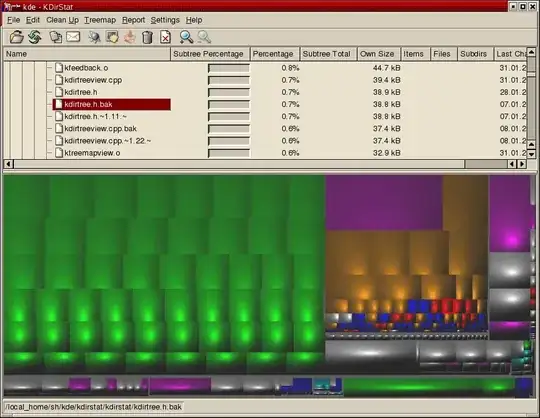
KDirStat screenshot

I'm looking for something similar, but for a headless Linux box. (E.g. run console data collection program on the server, then load the file in a graphical program in a GUI environment.)

Alternatively, what are other good ways to get a structured used disk space representation, with just SSH access?

8 Answers8

30

NCurses Disk Usage (ncdu) is good for this. See http://dev.yorhel.nl/ncdu for details. It's available as a package for most popular distributions and lets you browse and find out where your disk space is used. It uses text characters to display a bar-chart of directory usage so you get a semi-graphical interface, in a text only environment.

11

gt5 is very nice. It has a console interface and also creates html files you can view in your browser. It's in the repositories so you can just apt-get it.

Jure1873
  • 3,762
8

I use du -cks * | sort -rn | head -11.

It shows the top ten directories by disk consumption. I use it on /home and such all the time.

Aaron Copley
  • 12,954
6

xdiskusage allows you to pipe the output of du into it for analysis. It's a great option.

MikeyB
  • 40,079
3

For headless servers philesight might be of great use.

(kludos for that gem go to http://www.makeuseof.com/tag/how-to-analyze-your-disk-usage-pattern-in-linux/)

RomanSt
  • 1,237
1

There's https://github.com/imsnif/diskonaut, if you have terminal access

nafg
  • 126
1

You can run the same command if you connect on the server via ssh and use ssh X forwarding and an X server on your workstation. If you want from commandline:

df -k /*|sort -n
0

A bunch of different softwares have been recommended here, and there are lots that let you analyze disk usage on a headless server without spinning up a display. However, the question does specifically ask for a treemap visualization, for which a solution hasn't yet been mentioned.

For that application you can use Qdirstat and its included qdirstat-cache-writer perl script. You run the perl script on your server, export the cache file, and view it on your local machine with Qdirstat. I believe Kdirstat has the same capability with kdirstat-cache-writer, so you could use either one.