4

[This continues my previous question How do I know I'm running inside a linux "screen" or not? ]

As title, can I?

I tried screen -S mysess but it creates a new screen instead of changing the name of current screen.

I also tried screen -X 'sessionname haha' , but no effect. It just display a inverse-color bar at terminal bottom saying

-X: unknown command 'sessionname haha'
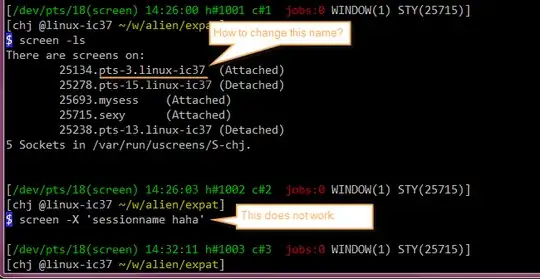
enter image description here enter image description here

Jimm Chen
  • 1,779
  • 5
  • 19
  • 32

1 Answers1

19

Use Ctrl-a: to get to command mode for the session and then use the sessionname command

sessionname session1

EDIT:

Using your example above:

If you are detached from a session you can change it's session name with

screen -r 25278.pts-15.linux-ic37 -X sessionname YourSessionName

If you are attached to the session then you can change it's session name with

screen -d -r 25134.pts-3.linux-ic37 -X sessionname YourSessionName
user9517
  • 117,122
