How do I create a Windows firewall rule that lets application X only open connections (outbound) to two ip addresses, while blocking everything else?
Asked
Active
Viewed 661 times

1 Answers
1
If you want to deny all outbound traffic, except for connections to 2 specific endpoints, you can change the default behavior for outbound connections to "Block". This way, all outbound connections will be blocked, unless they are explicitly allowed.
Open the Windows Firewall with Advanced Security MMC, right-click the Firewall in the left pane, and select properties. Select a Profile tab and change the behavior under "State"
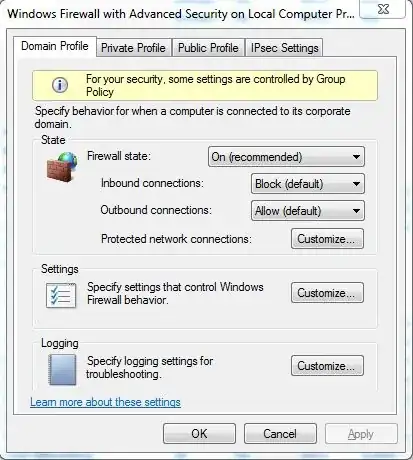
Then create new outbound rules to allow the 2 connections: http://technet.microsoft.com/en-us/library/cc771477%28v=ws.10%29.aspx

Mathias R. Jessen
- 26,351